UX design
fromSmashing Magazine
3 days agoA Practical Guide To Design Principles - Smashing Magazine
Design principles align teams, inform decisions, and embody organizational values, serving as essential tools in the design process.
Performance is a critical factor in user engagement, where even minor delays in loading can deter users. A clean and simple user interface also contributes significantly to user retention.
Browser cache - Sometimes the browser is still loading the old CSS file. A hard refresh (Ctrl + F5) usually fixes it. Wrong file linked - Double-check if your HTML is actually linked to the correct CSS file. Specificity issues - Another CSS rule might be overriding your changes.
When a site feels unsafe, unreliable or even slightly "off," users don't rationalize the problem. They react to it. They leave. And in many cases, they don't just abandon the session - they go straight to a competitor.
The Snapseed camera defaults to an automatic mode, but also includes optional controls for ISO, shutter speed, and focus, along with flash and zoom. It allows you to shoot using saved looks and edit stacks from the app, which can be altered after the shot is taken, along with a range of preset film effects inspired by specific films from Kodak, Fujifilm, and more. There's even a handful of UI color themes to pick from too.
I'm currently building a web app using NuxtJS 2 for the frontend and NestJS for the backend, relying on third-party APIs (like Replicate) for the heavy lifting. I'm using Cloudflare R2 to store the generated output images. I'm running into some performance bottlenecks when rendering specific landing pages that contain heavy, dynamic image galleries. For instance, I'm trying to optimize the SEO and load speed for my AI Pet Portrait Generator free tool page.
Annotate Image is a JavaScript image annotation library that creates Flickr-style comment annotations on images. You can draw rectangular regions on any image and attach interactive hotspots and notes to those regions. Version 2.0 is a complete TypeScript rewrite that works standalone with vanilla JavaScript or integrates with jQuery, React, and Vue. It's ideal for building photo galleries, design review tools, or any application requiring collaborative image markup.
As the HTTP Archive reminds us, video and audio files are some of the heaviest resources requested by web pages. This new standard will dramatically reduce page weight and ease resource overhead all through a simple declarative HTML attribute. Lazy audio and video works just like lazy-loading of image and iframe elements work today: just add loading=
A recent commit to integrate and enable the JXL decoder means that future releases of Google Chrome and other Chromium-based browsers will include code to process and present JXL images. The format's supporters argue JXL can be used to recompress existing JPEG images without loss so they're 20 percent smaller, which alone would represent a significant bandwidth saving for websites and content delivery networks.
But Meta has confirmed that it is internally experimenting with a new, separate app called Instants, which would enable users to share quick snaps with their connections. As displayed in this listing, which was shared by app researcher Alessandro Paluzzi, among Meta's display of other apps (accessed via Instagram), there's a mention of Instants, which is not released publicly as yet.
If you're searching for the best portfolio website builder for photographers in 2026, you're probably trying to solve a real problem: how to show your work beautifully and actually get seen. This guide compares VIEWBUG with popular alternatives like Zenfolio, SmugMug, and Format using the things photographers care about most-gallery quality, speed, SEO, sharing, and growth. Start here: VIEWBUG Free Photography Websites. Or explore the community at VIEWBUG.
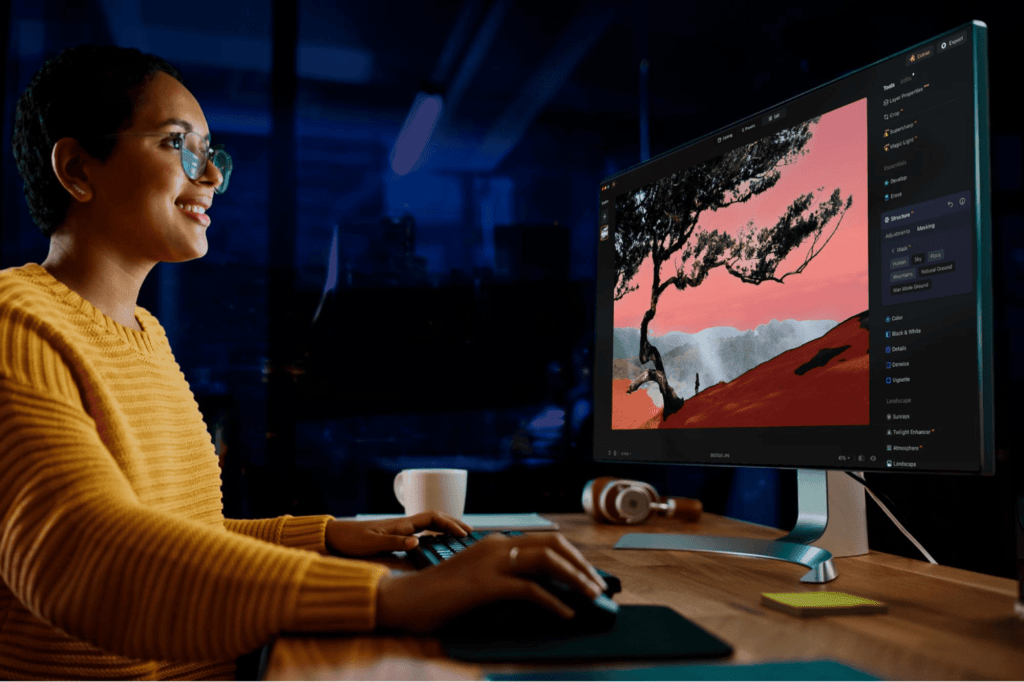
Adobe has improved the tools for Generative Fill, Generative Expand and Remove that are powered by its Firefly generative AI platform. Using these tools for image editing should now produce results in 2K resolution with fewer artifacts and increased detail all while delivering better matches for the provided prompts.
Key Issues: General UI Lag: Clicking between slides or menus is delayed and often "hangs." Audio/Text Desync: When adjusting text boxes to narration, the audio continues to play but the UI/subtitles freeze for several seconds. Overall Stability: The app feels unresponsive and struggles to handle the project size. What can I do to resolve this issue?Because currently the app is unusable for professional production.
This update includes the next iteration of the app's much-discussed Process Zero mode, adding HDR and ProRAW support to what is intended to be a hands-off, anti-computational image processing method. There's a new black-and-white film simulation that also supports HDR, and more new "Looks" to come. This is my semi-regular cue to remind you that HDR is not a dirty word. We tend to associate the term with an over-processed look when high-contrast scenes are translated to an SDR display.
One thing I spent a lot of effort on is getting edges looking sharp. Take a look at this rotating cube example: Try opening the "split" view. Notice how well the characters follow the contour of the square. This renderer works well for animated scenes, like the ones above, but we can also use it to render static images: The image of Saturn was generated with ChatGPT.
Every embedded video comes with a real cost to page load performance. Each player loads extra resources, whether the user ever hits play or not, as Chris Coyier noted in his blog post on "YouTube Embeds are Bananas Heavy and it's Fixable". The approach of using in that article works well when the video appears further down on the page and loads outside of the initial viewport. If the video is directly in the initial viewport, it can still cause a cumulative layout shift (CLS).