#apple-music-replay
#apple-music-replay
[ follow ]
#spotify #music-discovery #podcasting #advertising #music-streaming #apple-music #apple #streaming #songdna


#spotify
Marketing tech
fromDigiday
3 days agoSpotify's ad exchange grew its programmatic ad base, but buyers want more
Spotify's ad exchange significantly increased its programmatic advertiser base, achieving 222% growth in active advertisers since its launch.
Marketing tech
fromAdExchanger
2 days agoJohnny On The Spotify; DOJ Closes The Book On A Rental Ads Scam | AdExchanger
Spotify's ad business faces challenges due to preference for direct podcast deals and lagging audio ad spend.




Marketing tech
fromThe Hollywood Reporter
5 days agoGlobal Streaming Subscription Revenue Tripled In Five Years, Poised to Top $200 Billion by 2030
Global streaming subscription revenue surpassed $150 billion in 2025, with projections of $202 billion by 2030 due to price increases and ad-supported tiers.
Music production
fromEngadget
3 weeks agoSpotify's new Taste Profile feature lets users fine-tune their algorithm's recommendations
Spotify introduces Taste Profile, an AI-powered feature allowing Premium users to customize their listening algorithm by specifying music preferences, genres, and contextual listening needs.
Music production
fromTechCrunch
3 weeks agoTikTok now lets Apple Music subscribers play full songs without leaving the app | TechCrunch
TikTok partners with Apple Music to enable subscribers to play full songs within TikTok without switching apps, plus introduces a real-time Listening Party feature for social music experiences.
Music production
fromwww.theguardian.com
4 weeks agoI traded Spotify with an MP3 player for a week. Life outside the algorithm was rough
A week without Spotify streaming reveals how algorithmic recommendations create passive listening habits, while analog MP3 players foster deeper musical engagement through intentional curation.
#ai-transparency
Music production
fromTechCrunch
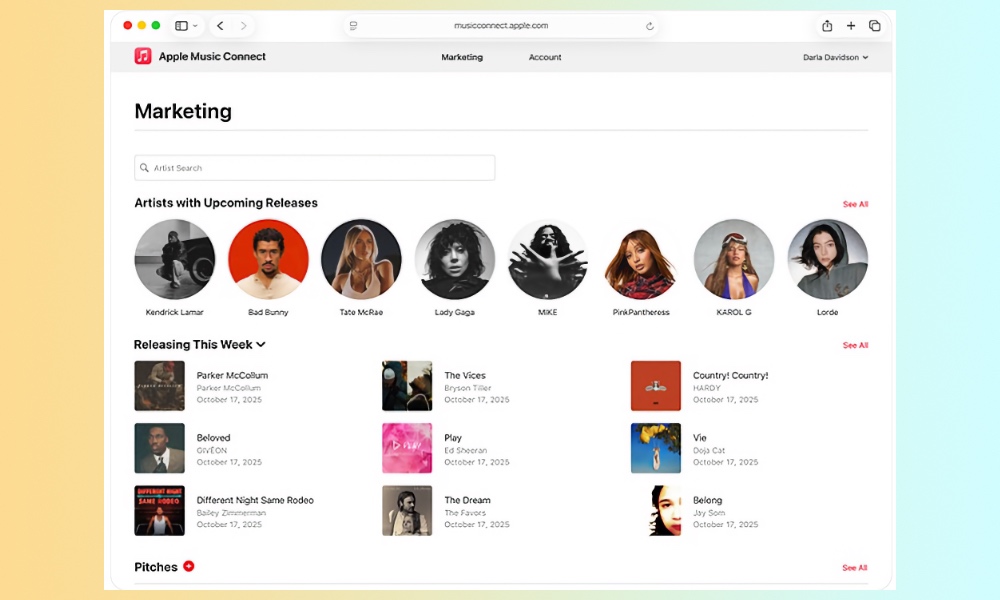
1 month agoApple Music to add Transparency Tags to distinguish AI music, says report | TechCrunch
Apple Music introduces optional metadata tags allowing record labels and distributors to flag AI-generated or AI-assisted content across songs, artwork, compositions, and music videos.

fromThe Verge
1 month agoSpotify's Smart Reorder treats your playlists like a DJ set
Spotify's "Smart Reorder" option, announced on Wednesday, is available now in the Spotify app for Premium subscribers. To try it out, open a playlist and tap the "Mix" button then "Edit." The "Smart Reorder" button should be at the bottom of the editing screen.
Music production
fromFast Company
2 months ago2 tools to break free from Spotify's stale music playlists
And, make no mistake, they will be five songs you're really into right now, because that's how many of these services work-and it's not because everyone else has the same taste in music as you. For instance, any Spotify playlist that says "created for" in the header is catered to the individual user, based on their listening history. There's nothing wrong with that, necessarily-it can be nice to know you're going to hear songs you like. But there are downsides.
Music
fromTechCrunch
2 months agoSpotify now lets you share what you're streaming in real time with friends | TechCrunch
The company on Wednesday said it is introducing a new Messages feature that will let users see what their friends are streaming in real time and send requests to start Jams, the app's collaborative listening feature. Users would first have to navigate to their Settings and turn on the "listening activity" feature in the "Privacy & Social" section. Once that's done, your listening activity will appear at the top of Messages chats.
Music
fromFast Company
2 months agoThe answer to AI in music isn't suppression. It's data
But to anyone tracking the data over the past few years, it was inevitable. In 2022, Bad Bunny's Un Verano Sin Ti redefined the market, driving Latin music's streaming growth to new heights. It later became the first Spanish-language album nominated for Grammy Album of the Year. The takeaway is simple: When you have accurate, real-time data, you don't guess where culture is going, you know.
Music
[ Load more ]