#phone-app-settings
#phone-app-settings
[ follow ]
#android #user-experience #technology #apple #samsung #ai #smartphones #smartphone #productivity #google #whatsapp #ios

fromZDNET
1 day agoI just found the hidden Google Photos tool that clears storage in seconds - how it works
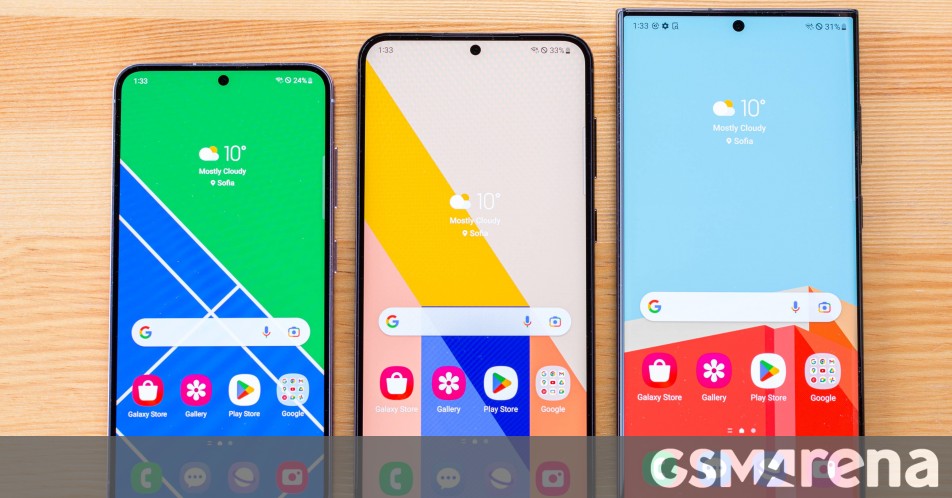
Google Photos has introduced a tool called 'Clean up this day,' which provides a swipe left to delete or swipe right to keep interface, making photo organization much simpler. This feature is designed to help users manage their digital photo storage more efficiently, especially for those who take numerous photos regularly.
Digital life

Mindfulness
fromSilicon Canals
1 day agoPsychology explains people who always keep their phone on silent aren't hard to reach - they're hard to interrupt, and the difference between those two things is the difference between a person who decides when to be available and one who simply is, always, at whatever cost - Silicon Canals
Smartphone notifications disrupt concentration for about seven seconds, leading to significant cognitive costs beyond the immediate interruption.
fromYanko Design - Modern Industrial Design News
2 days agoYour Phone Has 12 Calendar Apps. None of Them Look Like This - Yanko Design
The 1970s were a sweet spot in product design, especially in France, where makers were beginning to marry natural materials like wood with the new optimism of plastic.
Design
fromEngadget
1 day agoChrome finally adds support for vertical tabs.
Google has started rolling out a small but significant update to Chrome on desktop, allowing users to organize their tabs vertically. This feature can be accessed by right-clicking on any Chrome window and selecting 'Show Tabs Vertically.'
Web development
Web design
fromYanko Design - Modern Industrial Design News
2 days agoPixel 10a Just Proved a Smartphone Color Can Actually Mean Something - Yanko Design
Google's Pixel 10a Isai Blue celebrates individuality through a unique color and exclusive designs by artists with disabilities, marking a significant cultural expression.

#iphone-fold
Apple
fromYanko Design - Modern Industrial Design News
17 hours agoPictures of iPhone Fold appear online, just before Apple's supposed foldable hits engineering challenges - Yanko Design
Apple's anticipated foldable phone, the iPhone Fold, is expected to launch in 2026, but engineering setbacks may delay its release.
Privacy technologies
fromEngadget
2 weeks agoAndroid will hide app sideloading behind a new one-time security process
Google implements a multi-step verification process for sideloading unverified apps on Android, while offering free limited distribution accounts for hobbyist developers to share apps with up to 20 devices.
Digital life
fromSilicon Canals
5 days agoPeople who check their phone within five minutes of waking up are training their brain to start every day in reaction mode - and it's costing them more than they realize - Silicon Canals
Starting the day with phone use can negatively impact mental state and set a stressful tone for the day.
Wearables
fromZDNET
1 month agoI turned my Android phone into the perfect bedside clock - here's how
Android phones can be customized as bedside clocks with screen saver features, eliminating the need for traditional alarm clocks and allowing users to check the time without bright displays disrupting sleep.
fromZDNET
4 weeks agoI changed 12 settings on my Android phone to extend its battery life by hours
One of the biggest battery drainers for any smartphone is the always-on display. Companies regularly tell you that this display setting only drains about 1% to 2% an hour, but let's be honest -- it's always way more. It may be nice to glance at your phone while it sits on a table to check the time, but it's probably not worth sacrificing battery life.
Gadgets
fromSitePoint Forums | Web Development & Design Community
2 weeks agoWhat matters most for user engagement: performance or UI?
Performance is a critical factor in user engagement, where even minor delays in loading can deter users. A clean and simple user interface also contributes significantly to user retention.
UX design
#android-17

Mobile UX
fromTechRepublic
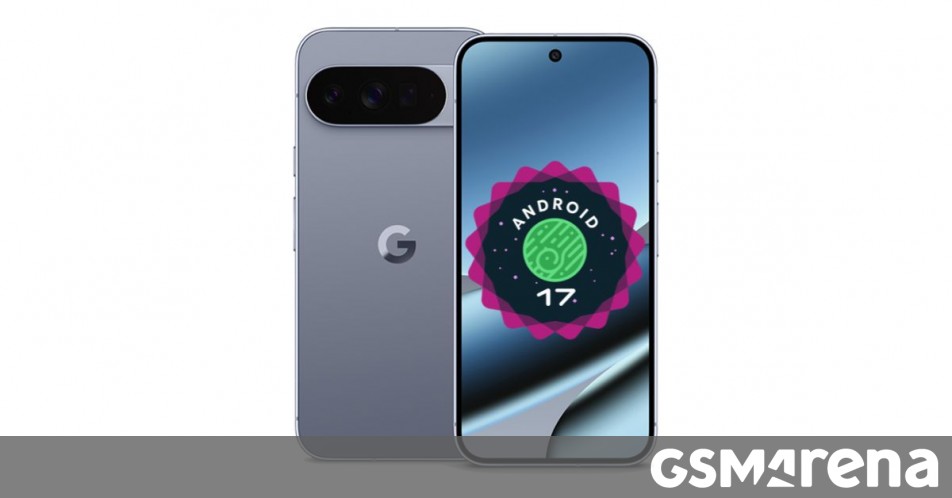
3 weeks agoAndroid 17 Leaks Reveal Major Redesign, AI Features, and Privacy Upgrades
Android 17 is undergoing significant development with a major visual overhaul, expanded Material 3 design system, and frosted glass interface effects expected in the stable release around June 2026.
fromComputerworld
1 month ago3 future Android features you can give yourself today
Thanks to the way Google's for years now been deconstructing Android and pulling OS-level pieces out of the operating system itself - so they exist as regular ol' apps and can consequently be updated quickly, frequently, and in a way that reaches everyone instantly, regardless of what phone or carrier they're using - even Android phones from eight years ago get updates numerous times a year that are all virtually equivalent to an entire iOS operating system rollout.
Gadgets
fromSlashGear
1 month agoChanging 5 Phone Settings Can Limit The Amount Of Data Apps Collect About You - SlashGear
Only about a year old at that point, the App Store was changing people's relationship with software. Users were growing accustomed to the idea that the smartphone was a digital Swiss Army Knife, its glossy touchscreen waiting to be fitted with the right tool for any job. But what the public had not anticipated as we swiped and scrolled was that our phones might begin to watch us back.
Privacy technologies
Gadgets
fromZDNET
2 months agoI changed 10 settings on my Samsung phone to significantly improve the performance
Personalize Samsung Galaxy settings—disable notification pop-ups, enable gesture navigation, and maximize screen resolution—to improve responsiveness, focus, privacy, and overall user experience.
fromGSMArena.com
1 month agoTelegram announces redesigned interface for Android and iOS, automatic ownership transfer for groups
Telegram has announced that it's rolling out a fully redesigned interface for its Android app, making navigation and search quicker and more intuitive. The most notable change this redesign brings is the new bottom bar, which lets you quickly switch between the Chats, Settings, Profile, and other tabs. In addition to the UI redesign, Telegram "completely rebuilt" the interface code to maximize efficiency and increase responsiveness. You can head to the Settings > Power Saving menu to maximize performance and extend battery life.
Mobile UX
[ Load more ]